
Google Business Profile ownership is recoverable even when your old marketing company stops answering the phone, but you get it back through Google’s own request process, not through the agency. You submit a request, Google emails whoever currently owns the profile, and that person has three days to respond. If they say nothing, you may get the option to claim and verify it yourself.
That is the whole mechanism. It is unglamorous, it is free, and it works more often than the panic in your chest right now suggests. What follows is the sequence in order, the two waiting periods nobody warns you about, and the single mistake that turns a two-week recovery into a six-month mess.
One thing to settle before we start. The profile is not a website, a domain, or an ad account. Those are three separate arguments with three separate recovery paths, and mixing them up is how owners lose weeks. If the website is also in dispute, read do you actually own your website alongside this. This guide, one of the contractor marketing guides in our library, is about the Google listing only: the thing that shows up in Maps with your reviews attached to it.
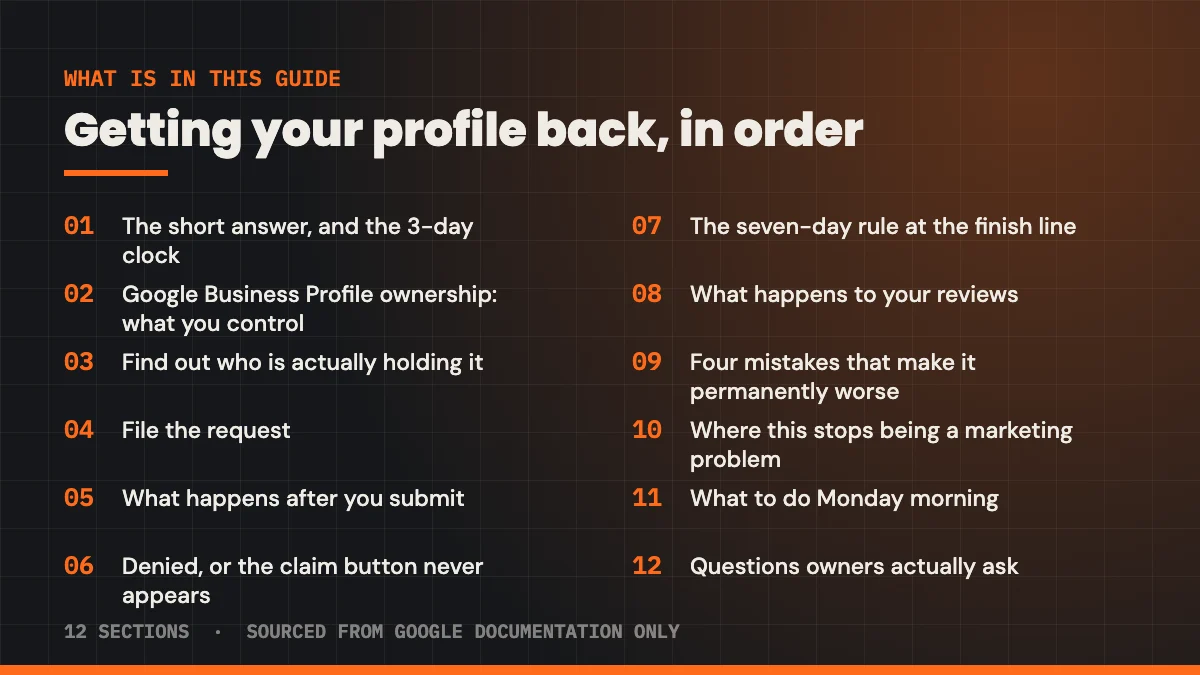
What’s in this guide
- The short answer, and the three-day clock
- Google Business Profile ownership: what you actually control
- Step one: find out who is actually holding it
- Step two: file the request
- Step three: what happens after you submit
- Step four: when it is denied, or the claim button never appears
- Step five: the seven-day rule that traps people at the finish line
- What happens to your reviews while this is going on
- Four mistakes that make it permanently worse
- Where this stops being a marketing problem
- What to do Monday morning
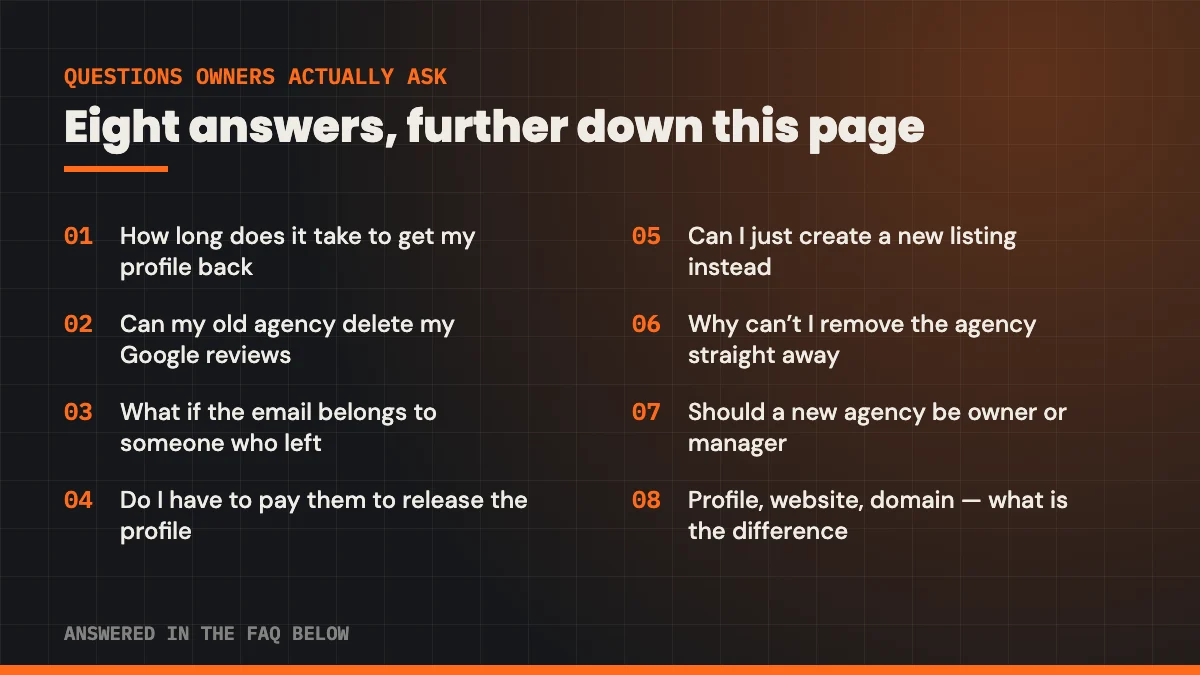
- Questions owners actually ask
The short answer, and the three-day clock
Go to business.google.com/add, type in your business name and address, pick your business from the list, and select Request Access. Fill in the form and submit it. Google’s own documentation describes what happens next in one sentence.
The current profile owner is then notified by email and has 3 days to respond.
Google Business Profile Help, Request ownership of a Business Profile
Three days is not three business days and it is not negotiable. If your old agency ignores the email (which, if they have stopped returning calls, is likely) the door opens on day four.
Google puts it carefully: “If you don’t get a response after 3 days, you may have the option to claim the profile.” Note the hedge. The same page states plainly that “the option to claim a profile isn’t always available.” That is the honest version of this process, and any guide that promises you the profile back in 72 hours is selling you something.
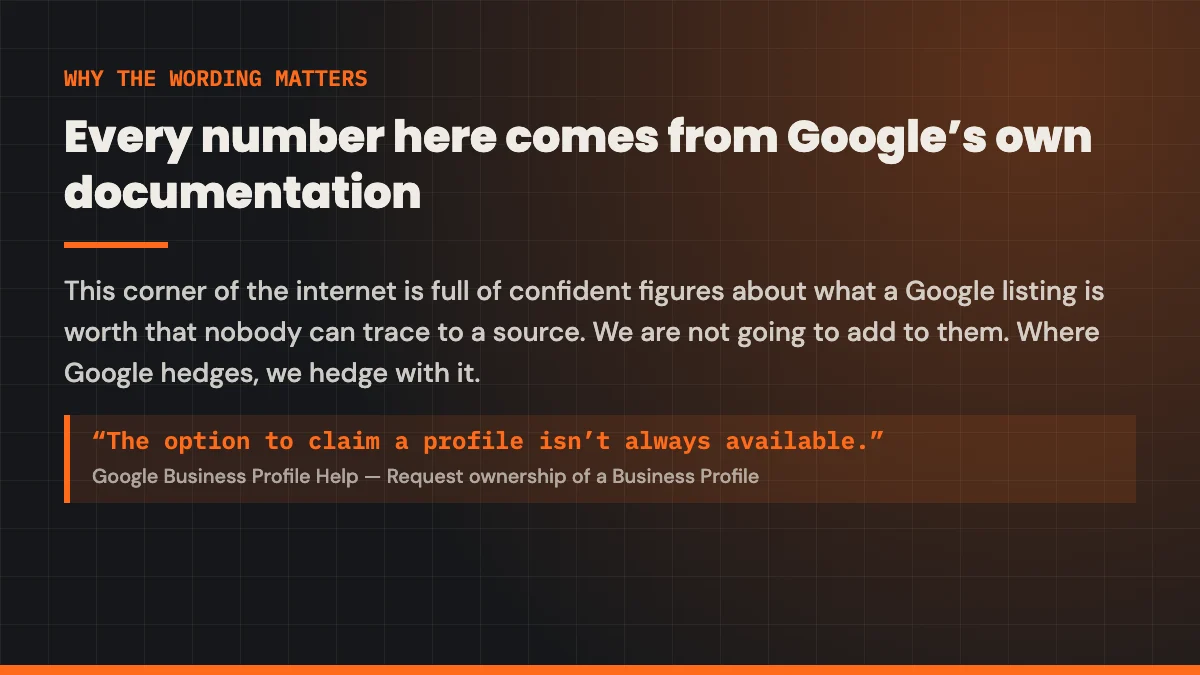
Every number in this guide comes from Google’s published help documentation, linked at the end, and nowhere else. This corner of the internet is full of confident figures about what a Google listing is worth that no one can trace to a source. We are not going to add to them. Where Google hedges, we hedge with it.
Google Business Profile ownership: what you actually control
Before you file anything, understand the three levels of access, because the difference decides whether your agency can lock you out at all.
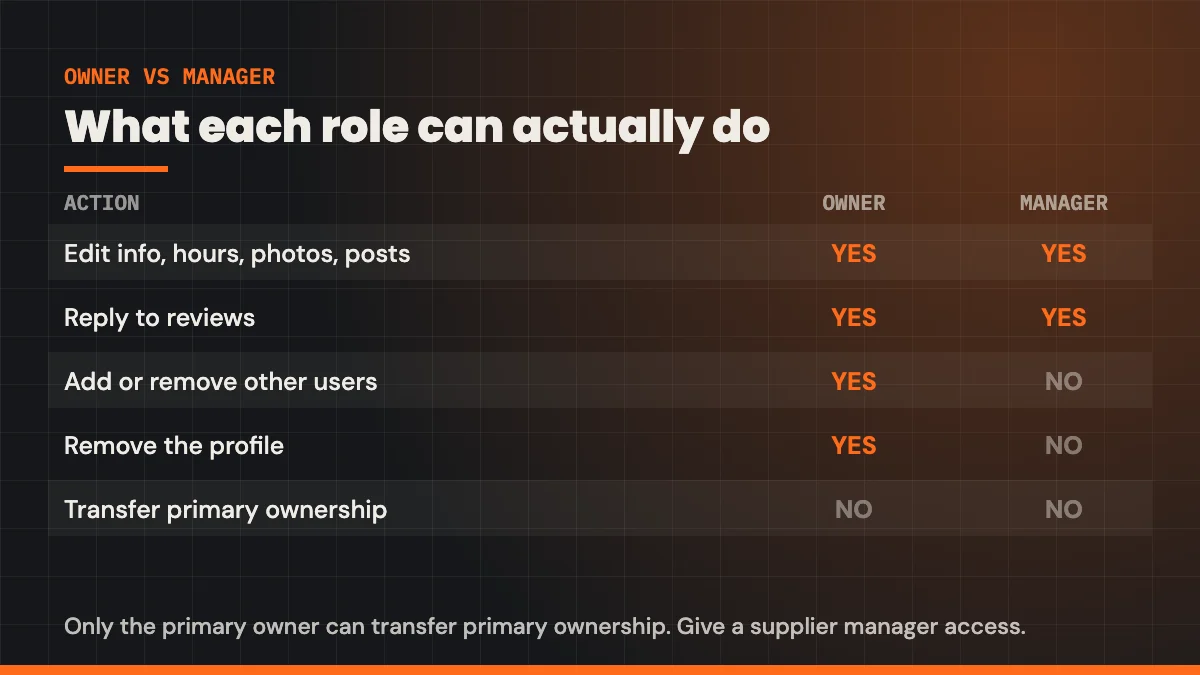
A profile has exactly one primary owner. It can have additional owners, and it can have managers. Google’s documentation draws the line like this: managers “have mostly the same access to the profile as owners. The only exception is they can’t add or remove users or remove the profile.”
Read that again, because it is the crux. A manager can post, reply to reviews, change your hours and edit your description, but a manager cannot throw you out. Only an owner can. If your agency was ever set up as a manager, you are not locked out at all; you are two clicks from removing them. Check before you file a request.
| Action | Primary owner | Owner | Manager |
|---|---|---|---|
| Edit business info, hours, photos, posts | Yes | Yes | Yes |
| Reply to reviews | Yes | Yes | Yes |
| Add or remove other users | Yes | Yes | No |
| Remove the profile | Yes | Yes | No |
| Transfer primary ownership | Yes | No | No |
| Remove themselves from the profile | Only after transferring primary ownership | Yes | Yes |
Two more lines from the same page are worth committing to memory. “A profile must have at least one other owner or manager to transfer primary owner access to.” And: “If you’re the primary owner, you can’t remove yourself until after you transfer primary ownership to someone else.”
Those two sentences explain a great deal of agency behaviour. An agency that made itself primary owner cannot simply walk away and hand you the keys. It has to add you first, then transfer. If they have gone dark, nobody is going to do that for you, which is exactly why the request process exists.
Google’s agency documentation describes the arrangement as an organisation being “invited to manage specific Business Profiles or business groups owned by someone else.” Managing. The intended shape is that you own it and they manage it. A great many agencies set it up the other way round, sometimes to keep the client, often because whoever did the setup in 2019 used their own Gmail account and never thought about it again.
Step one: find out who is actually holding it
Sign in to the Google account you think should own the profile and search your business name on Google. If you see a management panel (buttons like “Edit profile”, “Promote”, “Read reviews”) you already have access, and the only question is what level.
If you can see the profile but not the users list
You are a manager. Ask the primary owner to promote you, and if they will not, you file a request like everyone else. But check first: a manager who has been quietly locked out of nothing has no problem to solve.
If you see nothing at all
Search your business on Google and look for “Own this business?” or “Claim this business” on the listing. Selecting it starts the same request flow. Google will usually show you a masked version of the current owner’s email: something like j••••@e••••••.com. That mask is often enough to recognise the agency’s domain, or a former employee’s personal address.
If the masked email is someone who left in 2021
Still file the request. The three-day clock runs the same way whether the email goes to an agency that is ignoring you or a mailbox that no longer exists. A dead mailbox is functionally the same as silence, and silence is what opens the claim option.
This scenario is common enough that it is a recurring thread on practitioner forums. One long-running Local Search Forum discussion covers exactly this: a manager on a listing whose owner is unknown and unreachable, told by the forum’s own moderators to run the standard request and watch for the claim option on day four.
Step two: file the request
The mechanics are short. The care you take with the form is what decides the outcome.
- Sign in to the Google account you want to own the profile long term. Not your web guy’s. Not an employee’s. A business-controlled account that will still exist in five years.
- Go to business.google.com/add and enter the business name and address.
- Choose your business from the list Google shows. Do not select “Add your business to Google” if your listing already exists. That is how duplicates get created.
- Select Request Access and complete the form.
- Submit, and save the confirmation email. You will need it on day four.
The single best thing you can do while you are in here is create a dedicated Google account on your own business domain: something like google@yourcompany.com, and make that the primary owner forever. Every person and agency after that gets manager access. You will never have this problem again, and it takes ten minutes.
On the form, identify yourself as the business, not as a consultant acting for it. Use the business address on file, the business phone number, and an email on the business domain if you have one. Google is deciding whether you are more plausibly the real operator than the account currently holding it.
Step three: what happens after you submit
Three things can happen, and the timeline below is drawn to scale so you can see what a realistic calendar looks like.
They approve it
Best case, and it does happen. Most agencies are not villains; plenty are simply slow, understaffed or mid-handover. You get access at whatever level they granted, which may be manager rather than owner. Check, and ask for owner if they only gave you manager.
They ignore it
On day four, open your confirmation email again. Google’s guidance is to look for the option to Claim or Verify the profile. If it is there, take it immediately, do not sit on it.
They deny it
Google says you “get a rejection email but you can still suggest an edit to the profile,” and that you can try to appeal the decision. That is a thinner path, and we cover it below.
Verification, if you get there
Claiming is not the last step. You still have to verify, and Google’s verification documentation is blunt about how little say you have: “Verification methods are automatically determined by Google and can’t be changed.” You may be offered video, a phone call, a text, an email, or a postcard. You do not get to pick.
Budget for it. Google states that “verification reviews take up to 5 business days,” which on a calendar with a weekend in it is a full week. There is one shortcut worth knowing: Google says a profile can sometimes be verified instantly when “you verify your website with Google Search Console.” If you already control your domain in Search Console with the same account, do that first.
Not sure what else your old agency still holds
The free Lead Engine Scorecard checks what is actually pointing at your business right now: the listing, the website, the tracking, and whether AI search can even find you. It takes about a minute and it will tell you what else you need to get back.
Get the free Scorecard
Or call (726) 224-4920: same business day reply.
Step four: when it is denied, or the claim button never appears
This is where most guides stop and where most owners actually are. Two failure modes, two different answers.
The request was denied
An agency that clicks “deny” has told you something useful: somebody is still reading the mail. That changes the problem from a technical one to a commercial one. Put the request in writing to a human: an email to the account manager and to whoever signs the contracts, stating that you are the business, that you are requesting transfer of the profile, and that you have a rejected request on file.
In the meantime you are not powerless. Google’s own line is that after a rejection “you can still suggest an edit to the profile.” Suggested edits are how anyone corrects a wrong phone number or wrong hours on a listing. If the agency has left your hours stale or pointed the phone at a dead tracking number, fix it that way today while the ownership fight runs in parallel.
The claim option never appeared
Google is upfront that “the option to claim a profile isn’t always available,” and does not publish the conditions. In practice, the more established and more heavily verified the existing ownership, the less likely you are to be handed the profile automatically.
Your remaining routes are appeal, and support. Both are slow. Both are worth doing properly once rather than badly four times. Keep a single file with the business licence, a utility bill at the address, photographs of signage, and the rejection email: the same evidence that settles most listing disputes. If you have ever dealt with a suspension you will recognise the pack; the process has a lot in common with getting a suspended profile reinstated.
This is the mistake that turns a fixable problem into a permanent one. Google’s guidelines say “there should only be one profile per business, as this can cause problems with how your information displays on Google Maps and Search,” and, more directly, “do not create more than one page for each location of your business, either in a single account or multiple accounts.” A duplicate does not replace the original. It competes with it, splits your reviews, and frequently gets both profiles flagged.
Step five: the seven-day rule that traps people at the finish line
You win the request. You get owner access. You immediately try to remove the agency, and Google will not let you. This is not a bug and it is not the agency blocking you.
Google’s documentation states that newly added owners and managers have to wait seven days before they can manage some profile features. During that window you cannot delete or undelete the profile, you cannot remove other users, and you cannot transfer primary ownership.
Seven days from the moment your access is granted. Put it in your calendar on the day you get in, because almost nobody does, and then spends the week convinced something has gone wrong.
When the week is up, the order of operations matters:
- Confirm your long-term business account has owner access, not manager.
- Transfer primary ownership to that account. Remember Google’s rule: “A profile must have at least one other owner or manager to transfer primary owner access to”, so the destination account has to already be on the profile.
- Only then remove the old agency’s accounts.
- Re-check your hours, phone number, service areas and primary category, all of which may have drifted.
Doing it in the wrong order, removing the agency before the transfer lands, is how people end up as a lone owner on a profile whose primary owner is a Gmail account nobody can access.
What happens to your reviews while this is going on
The fear every owner voices first: can they take my reviews with them?
No. Reviews belong to the profile, not to whoever is holding the login. Google’s documentation on moving reviews says it plainly: “If a business has a new owner or manager but keeps the same name, the reviews remain.” A change of hands is not a reason reviews move or disappear, and the review count you built up stays exactly where it was, which matters more than most owners realise, as how many reviews you actually need to rank sets out.
There is one genuinely dangerous exception, and it is worth understanding because it is the one thing a spiteful ex-agency could actually do. Google’s page on removing a Business Profile from an account warns that “removal of content and managers for a Business Profile is permanent and affects all owners and managers,” and that afterwards the content “can’t be recovered or managed.”
What survives that? Google is specific: “user-generated content and review remains,” while “any posts, photos, videos, and review replies by owners and managers are permanently removed.” Your customers’ reviews stay. Your photos, your posts and every reply you ever wrote to a review do not.
And removal does not take the business off the map either: Google notes that removing all ownership and content “doesn’t guarantee that the business won’t show up on Maps and Search.” You would be left with an unclaimed listing carrying your reviews and none of your work. Recoverable, but it costs you a re-verification and every photo you ever uploaded.
Whatever stage you are at, spend twenty minutes saving what you can see: screenshot the profile, save your photos, and copy your review replies into a document. If you cannot get into the dashboard, the public listing still shows most of it. Screenshot the reviews too, so you have a record if a fake one later needs reporting for removal. This is not paranoia, it is the cheapest insurance available.
Four mistakes that make it permanently worse
1. Creating a duplicate listing while you wait
Covered above, and it is the big one. If you remember nothing else from this guide, remember that a second profile is not a shortcut. It is a second problem sitting on top of the first.
2. Asking Google to “delete” the old listing
Owners reach for this when they are angry, and it does the opposite of what they want. You do not want the listing gone. You want it back, with its review history and its age intact. Deletion throws away the asset you are fighting for.
3. Believing the numbers in the pitch that got you here
Half the reason owners feel this is a crisis is that somebody once told them a Google listing is worth a specific, enormous figure. You will see claims like a 2,717% increase in direction requests, or that fifty reviews makes you 266% more likely to appear in the local pack, or that 42% of all clicks go to the map results. None of those trace to a source that can be opened and checked; several appear to originate from AI-generated statistics pages that invent attributions to home-services brands and market research firms that never published them.
Your listing genuinely matters. It matters because it is where your reviews live and how people find your phone number, which you can see for yourself in your own call log. It does not need a fake percentage to justify getting it back.
4. Handing the recovered profile straight back to the next agency
The most common ending to this story is an owner who recovers the profile, hires a new firm, and makes that firm primary owner within a fortnight. Give the new people manager access. Every capable agency will accept manager access without blinking, because managers can do everything the work requires. An agency that insists on ownership is telling you what it plans to do if you leave.
Where this stops being a marketing problem
Everything above is Google’s process, and Google’s process does not care about your contract. Two questions sit outside it.
What does your agreement actually say? Some contracts genuinely assign ownership of accounts and assets created during the engagement to the agency. Whether that is enforceable, and what it means for a Google listing tied to your licensed, insured business at your address, is a question for a lawyer, not for a marketer, and not for us. If money is owed either way, that is a lawyer’s question too.
Are they still billing you? If the card is still being charged for a service you no longer receive, that is a conversation with your bookkeeper or accountant and your bank, and it is separate from the Google request. Do not let it stall the request; run both at once.
What a marketer can tell you is this: the Google recovery path costs nothing but time, it does not require anyone’s permission, and it is almost always faster than the legal one. Start it today regardless of what the contract says.
What to do Monday morning
An hour of work, in order:
- Create the account you will own forever. A Google account on your business domain, controlled by you or your office manager. Write the password down somewhere your business, not your phone, keeps things.
- Search your business on Google while signed in to it. Establish whether you have no access, manager access, or owner access. The answer changes everything that follows.
- Save everything you can see. Screenshots, photos, review replies.
- File the request at business.google.com/add. Five minutes. Save the confirmation email.
- Put day four in the calendar. That is when you check for the claim option. Then put day eleven in as well for verification, and the seven-day mark after access for the transfer.
- Verify your domain in Search Console with the same account, in case the instant-verification path is open to you.
- Check whether your address should even be public before you republish anything: the rules for service-area businesses are covered in hiding your address on your profile.
- Do not create a second listing, no matter how long it takes.
Then leave it alone. The clocks run whether you refresh the page or not, and there is nothing you can do on day two that helps. If the wait is making you twitchy, the same patience applies to everything else in local search, as how long local SEO takes explains.
Once the profile is yours, the next question is what to do with it, which categories to run, how wide your service area should reasonably be, and whether your listing is visible to the AI assistants people increasingly ask instead of searching. Those are covered in choosing your categories, why you do not show up in every city, and why AI search cannot find you. If you would rather someone else drove it, that is what our Google Business Profile management work is.
Questions owners actually ask
How long does it take to get my Google Business Profile back from an agency?
Plan for two to three weeks. The current owner gets three days to respond. If they ignore it and the claim option appears, verification follows, and Google says verification reviews take up to five business days. Then there is a seven-day wait before a newly added owner can transfer primary ownership or remove other users. Those three periods run back to back, which is roughly seventeen calendar days in an uneventful case.
Can my old marketing company delete my Google reviews out of spite?
They cannot delete customer reviews. Google’s documentation states that when a business changes hands but keeps the same name, the reviews remain. What an owner-level account can do is remove all content and managers, which Google warns is permanent. That wipes posts, photos, videos and every reply owners and managers wrote, while leaving the customer reviews in place. Save your photos and replies now.
What if the email on the profile belongs to someone who left the company years ago?
File the request anyway. The three-day response window runs identically whether the notification reaches a live mailbox or a dead one. Silence is what opens the option to claim the profile yourself, so an unmonitored address is closer to a help than a hindrance.
Do I have to pay my old agency to release the profile?
Not as far as Google’s process is concerned: the ownership request costs nothing and needs nobody’s permission. Whether you owe them money under your contract is a separate question, and one for a lawyer rather than a marketing company. Run the Google request while that is being sorted out; they do not depend on each other.
Can I just create a new Google listing instead of fighting for the old one?
No, and it is the most damaging thing you can do here. Google’s guidelines say there should only be one profile per business, and instruct you not to create more than one page per location in a single account or across multiple accounts. A duplicate splits your reviews, competes with the original in the map results, and often gets both flagged.
Why can’t I remove the agency straight after I get owner access?
Because of Google’s seven-day rule. Newly added owners and managers have to wait seven days before they can manage certain features, including removing other users, transferring primary ownership, and deleting the profile. Nothing has gone wrong; the button simply will not work yet. Diary it for seven days after your access was granted.
Should my new marketing company be an owner or a manager?
A manager. Managers can do everything the work actually requires (edit information, post, reply to reviews, upload photos) and Google’s own documentation notes the only things they cannot do are add or remove users and remove the profile. That is precisely the power you do not want a supplier to hold. A firm that insists on owner access is worth a hard question.
What is the difference between my Business Profile, my website and my domain?
Three separate assets with three separate recovery paths. The Business Profile is the Google listing with your reviews on it, recovered through Google’s request process. The website is files and a content management system, usually recovered through hosting access. The domain is registered with a registrar and transferred with an authorisation code. Losing one does not mean losing the others, and it is worth checking all three at once.
Get an honest read on what your old agency left behind
The free Lead Engine Scorecard looks at your listing, your site, your tracking and your AI search visibility, and tells you in plain English what is working and what was never set up properly in the first place. No sales call required to get the report.
Get the free Scorecard
Or call (726) 224-4920, or email leads@tradesleadengine.com: same business day reply.
Sources
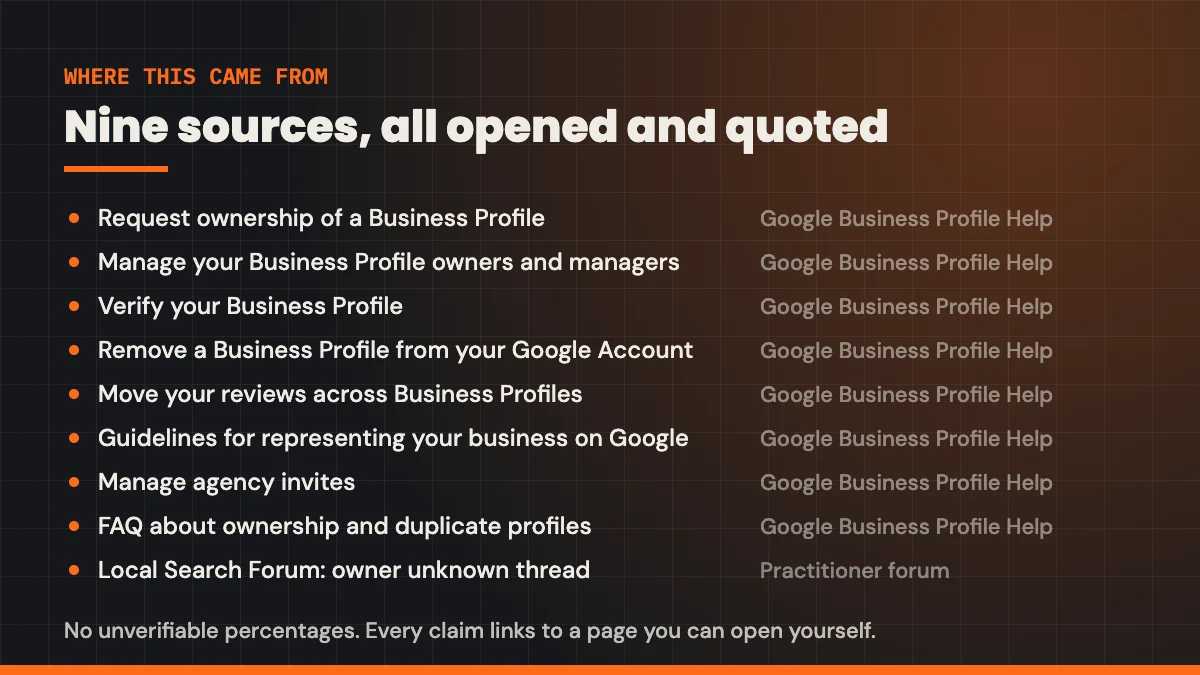
- Request ownership of a Business Profile: Google Business Profile Help. The three-day response window, the claim option, and what happens on rejection.
- Manage your Business Profile owners and managers: Google Business Profile Help. Role definitions, the seven-day wait, and the rules on transferring primary ownership.
- Verify your Business Profile: Google Business Profile Help. Verification methods are chosen by Google, reviews take up to five business days, and the Search Console instant-verification path.
- Remove a Business Profile from your Google Account: Google Business Profile Help. What removal permanently destroys, and what survives it.
- Move your reviews across Business Profiles: Google Business Profile Help. Reviews remain when a business changes owner or manager but keeps its name.
- Guidelines for representing your business on Google: Google Business Profile Help. One profile per business, and the instruction not to create duplicates across accounts.
- Manage agency invites: Google Business Profile Help. Organisations are invited to manage profiles owned by someone else.
- FAQ about ownership and duplicate profiles: Google Business Profile Community guide. Checking the confirmation email for the claim or verify option after three days.
- Local Search Forum: manager of a listing whose owner is unknown. A working example of the unreachable-owner case and the advice practitioners give.
Every figure and quoted sentence in this guide comes from the pages above. Percentages about what a Google listing is worth that appear elsewhere in this industry (the 2,717% direction-request claim, the 266% local pack claim, the 42% of clicks claim) have no traceable source and are not used here.