
Probably not, but it is worth five minutes to be certain, because almost nobody sets out to block AI crawlers on purpose. The usual causes are a line somebody copied into robots.txt from a blog post, a firewall default at your CDN that changed a month ago, or a security plugin doing what it was installed to do. The check costs nothing and takes five minutes, and it answers a more useful question than whether you are blocked: which of the thirteen documented crawlers actually decides whether ChatGPT, Claude, Perplexity and Google can quote your site to a homeowner.
What is in this guide
- The short answer on whether you block AI crawlers
- The five minute check, before you pay anyone to look
- The thirteen crawlers, and which ones decide anything
- GPTBot and OAI-SearchBot are two different switches
- Claude and Perplexity split their crawlers the same way
- Google has no AI crawler, and that confuses everybody
- What Cloudflare changed on 15 September 2026
- The setting that can take Googlebot down with your AI block
- What Cloudflare writes into your robots.txt without asking
- Your host, your firewall and the other usual suspects
- The WordPress setting that stopped doing what people still say it does
- Robots.txt is a request, not a lock
- What it costs when you block AI crawlers, and what it does not
- The claims in this corner of the industry that do not hold up
- What to do on Monday morning
- Questions owners ask about AI crawlers
- Sources
The short answer on whether you block AI crawlers
Open a private browser window, type your domain followed by a forward slash and the word robots, with a dot txt on the end, and read what comes back. If there is no line that says Disallow: / under User-agent: *, and no line naming GPTBot, ClaudeBot, PerplexityBot or OAI-SearchBot, nothing in your robots file is stopping anybody. That is most sites, and it is probably yours.
The ones that are blocked usually got there one of three ways. Somebody pasted a robots file from an article about protecting your content from AI. A CDN or firewall toggle was switched on, often by whoever set the site up, often years ago. Or a default changed underneath the site and nobody was told.
The third one is live right now. Cloudflare set new defaults for AI traffic on 15 September 2026, and retired the toggle most people had used until then. If anybody has handled your hosting or your DNS since September, that is the first place to look.
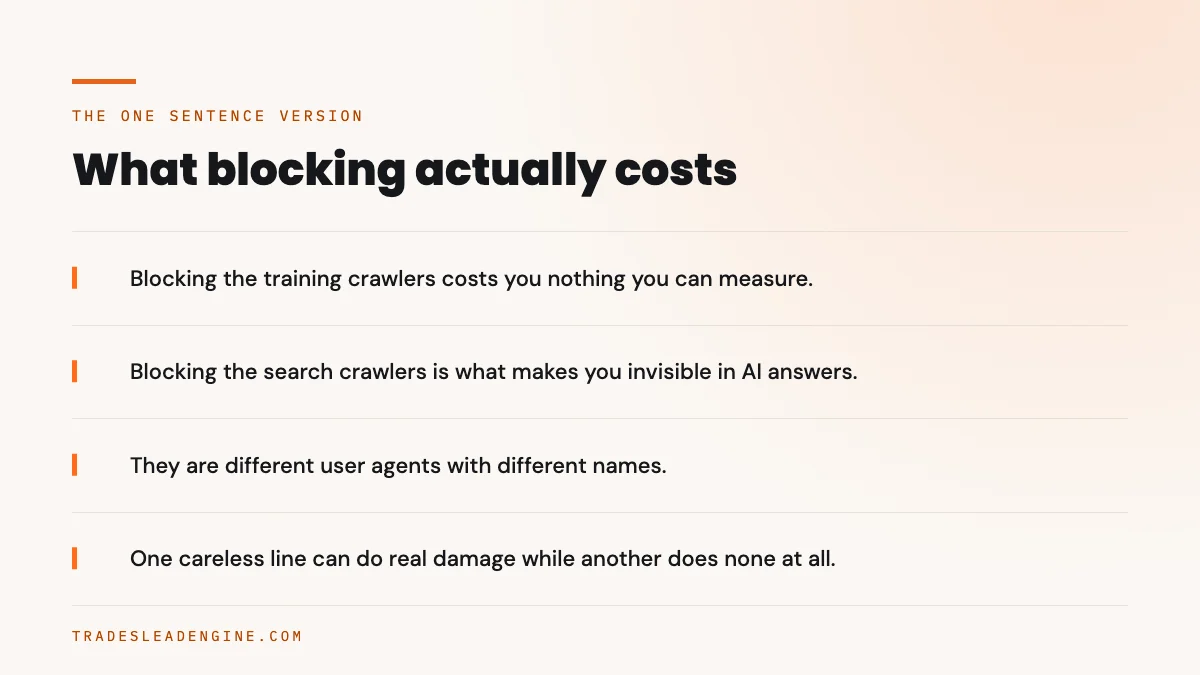
Blocking the training crawlers costs you nothing you can measure. Blocking the search crawlers is what makes you invisible in AI answers, and they are different user agents with different names, which is why one careless line can do real damage while another does none at all.
There is a second half to this that matters more for a trades business. Not being blocked is the floor, not the ceiling. A site that nothing is blocking still has to be worth quoting, which is a separate problem covered in how AI assistants actually pick which contractor to recommend. If you are here because you do not appear in ChatGPT at all, start with why your business is not showing up in ChatGPT and come back to this page for the mechanical causes.
The five minute check, before you pay anyone to look
Run these in order. None of them needs a developer, a login to anything you do not already have, or a paid tool. Write down what you find, because the answer to step two decides whether steps three and four matter.
- Read your own robots file. Your domain, slash, robots dot txt, in a private window so you see what a crawler sees. Note every
Disallowline and whichUser-agentit sits under. - Look for the broad block first.
User-agent: *followed byDisallow: /blocks every crawler that reads the file, search engines included. That is not an AI problem, that is an emergency, and it is the one case where your phone really did stop ringing because of a text file. - Look for the named agents. GPTBot, OAI-SearchBot, ClaudeBot, Claude-User, Claude-SearchBot, PerplexityBot, Google-Extended, CCBot, Bytespider, Amazonbot, Applebot-Extended, meta-externalagent. Each one is a separate decision and the table below says what each decision costs.
- Check your CDN or firewall. If you are on Cloudflare, the controls now live under Security Settings, in a panel called Configure AI bot policies. The older Block AI bots panel is still visible on some accounts and is being retired.
- Check Search Console. The robots.txt report lists the files Google found and flags fetch errors. A robots file that returns a server error rather than a 404 is treated very differently from one that is simply absent.
- Ask an assistant to open one specific page. Give ChatGPT or Claude the full URL of a page on your site and ask what the second heading says. If it comes back with the heading, something fetched the page. If it paraphrases your business in general terms, that proves nothing at all, which is the trap in the next callout.
Asking an assistant “what do you know about my company” does not test whether you are blocked. It can answer from material gathered long before you changed anything. One site owner on Cloudflare’s own forum concluded their AI block had failed because ChatGPT described their site accurately, and a community member replied, correctly, that this proves nothing about live access. Ask for something only a live fetch could know, like the exact wording of a heading you published this week.
Two of those six steps are worth doing even if you are sure you are fine, because they are the same checks that catch a site which has quietly stopped being crawled by anybody. The pattern is covered in more detail in traffic with no phone calls, and the diagnostic habit transfers.
The thirteen crawlers, and which ones decide anything
Four operators publish documentation naming thirteen user agents between them. The names look interchangeable and are not. Three groups behave in three different ways, and the only group that affects whether you can be quoted is the search group.
The split is the same at each operator. One agent builds an index so the assistant can find you later. One fetches a page in real time because a person asked a question. One collects material for training a model. Blocking the first is the costly one. Blocking the third is a decision about your content, not about your visibility.
| User agent | Operator | What it is for | What blocking it does | Costs you AI visibility |
|---|---|---|---|---|
| OAI-SearchBot | OpenAI | Surfacing sites in ChatGPT search | Sites opted out “will not be shown in ChatGPT search answers”, though they “can still appear as navigational links” | Yes |
| GPTBot | OpenAI | Crawling content that may be used in model training | Signals that your content “should not be used in training generative AI foundation models” | No |
| ChatGPT-User | OpenAI | Fetching a page because a person asked | Little. Because the action is user initiated, “robots.txt rules may not apply”, and it is “not used to determine whether content may appear in Search” | No |
| OAI-AdsBot | OpenAI | Safety checking pages submitted as ads on ChatGPT | Nothing, unless you advertise there. It “only visits pages submitted as ads” | No |
| Claude-SearchBot | Anthropic | Indexing for search result quality | “Prevents our system from indexing your content for search optimization, which may reduce your site’s visibility and accuracy in user search results” | Yes |
| Claude-User | Anthropic | Visiting a page when a person asks Claude a question | Disabling it “prevents our system from retrieving your content in response to a user query, which may reduce your site’s visibility for user-directed web search” | Yes |
| ClaudeBot | Anthropic | Collecting content that may contribute to training | Signals that future material should be excluded from training datasets | No |
| PerplexityBot | Perplexity | Surfacing and linking sites in Perplexity results. “It is not used to crawl content for AI foundation models” | Removes you from Perplexity results | Yes |
| Perplexity-User | Perplexity | Fetching a page to answer one person’s question | Little. It “generally ignores robots.txt rules” because a user triggered it | No |
| Googlebot | Google Search, and everything downstream of it | Removes you from Search, and therefore from the pool AI Overviews and AI Mode draw on | Yes | |
| Google-Extended | Training later Gemini models, and grounding | “Does not impact a site’s inclusion in Google Search nor is it used as a ranking signal in Google Search” | No | |
| GoogleOther | The “generic crawler that may be used by various product teams for fetching publicly accessible content from sites” | Crawling preferences for it “don’t affect any specific product” | No | |
| Google-CloudVertexBot | Fetches that site owners themselves request, for building Vertex AI agents | “It has no effect on Google Search or other products” | No |
Five of the thirteen matter. Four of those five are the search facing agents, and the fifth is Googlebot, which is not an AI crawler at all and is the single most expensive thing on the list to get wrong.
GPTBot and OAI-SearchBot are two different switches
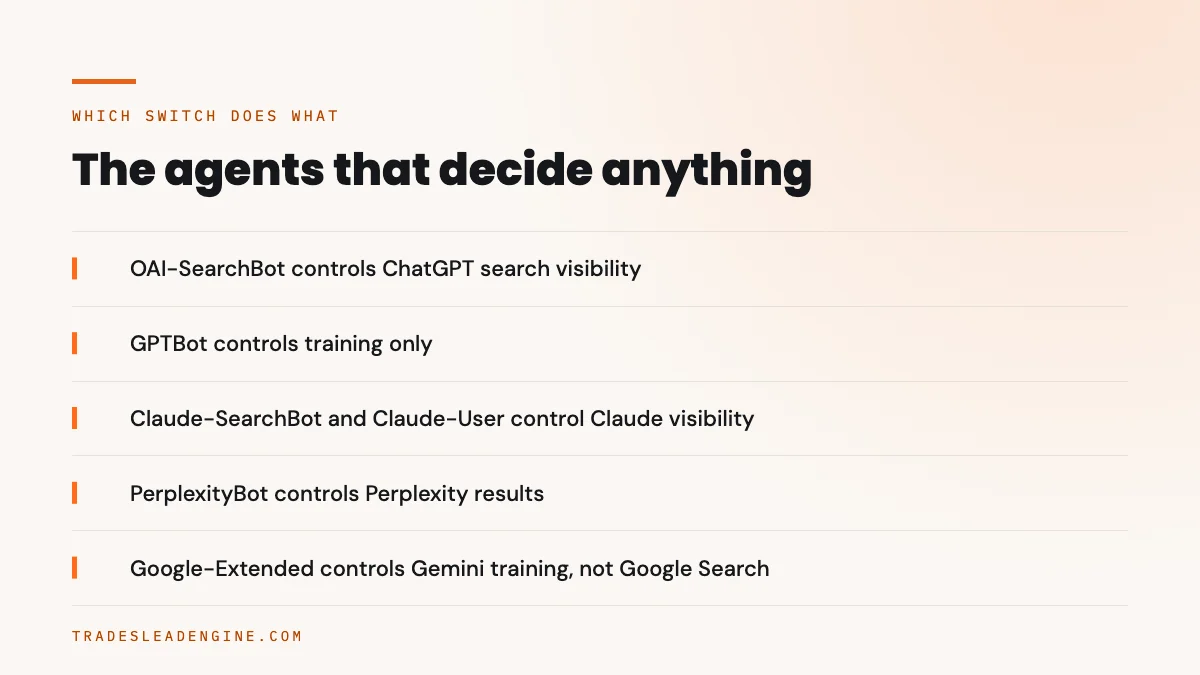
This is the distinction the whole article turns on, and OpenAI states it plainly on one page. GPTBot is the training crawler. OAI-SearchBot is the one that decides whether you can appear in a ChatGPT search answer. They are controlled separately and blocking one says nothing about the other.
OAI-SearchBot is for search. Sites that are opted out of OAI-SearchBot will not be shown in ChatGPT search answers.
The same page recommends allowing it, and says each setting “is independent of the others”. So the robots file that an agency pasted in to keep AI from training on your photographs is doing exactly what it was meant to do, and is probably not the reason you are missing from ChatGPT.
Even a site opted out of OAI-SearchBot “can still appear as navigational links”, in OpenAI’s own words. Being opted out of the index is not the same as being erased. It means you lose the quoted answer, which is the part that persuades a homeowner.
The twenty four hour lag nobody mentions
OpenAI says it “can take approximately 24 hours from a site’s robots.txt update for our systems to adjust”. If you fix a bad line today, do not retest tonight and conclude the fix failed. Retest the next afternoon.
One more thing worth checking rather than assuming. OpenAI publishes IP ranges for each agent as JSON files, which means a “blocked by GPTBot” claim in a report can be verified against the operator’s own published addresses. Anything calling itself GPTBot from an address outside that list is somebody else using the name.
There is a fourth OpenAI agent now
OAI-AdsBot appears in the current documentation and did not exist when most robots files in this industry were written. It validates the safety of pages submitted as ads on ChatGPT, only visits pages submitted as ads, and OpenAI states the data it collects “is not used to train generative AI foundation models”. For a contractor not advertising there it is irrelevant, and it is a useful reminder that this list grows. A robots file written in 2024 is describing a world with fewer switches in it.
Claude and Perplexity split their crawlers the same way
Anthropic documents three agents. ClaudeBot collects content that may contribute to training. Claude-User visits pages when a person asks Claude a question. Claude-SearchBot indexes the web to improve search result quality, and Anthropic says that disabling it “prevents our system from indexing your content for search optimization, which may reduce your site’s visibility and accuracy in user search results”.
The published example in Anthropic’s own help article shows only ClaudeBot, which is the training agent. That is a genuine trap. Somebody following that example exactly blocks the harmless one and leaves the two that matter untouched, which is the right outcome by accident rather than by understanding.
Perplexity documents two. PerplexityBot is “designed to surface and link websites in search results on Perplexity” and, in Perplexity’s words, “is not used to crawl content for AI foundation models”. Perplexity recommends allowing it. Perplexity-User handles requests a person triggered and “generally ignores robots.txt rules”.
Every operator that has split its crawlers has split them the same way: index, live fetch, training. If a vendor tells you to block “the AI bots” as a single category, they are describing a product that no longer exists. Ask which user agents, by name, and what each one does.
This is the same argument we make about paying for AI work in general, and the pricing question is handled separately in what AI search optimisation should actually cost.
Google has no AI crawler, and that confuses everybody
There is no Googlebot-AI. Google’s documentation on AI features in Search says the control for site owners is robots.txt directives for Googlebot, the same crawler that has always run Search. AI Overviews and AI Mode draw on pages that are indexed and eligible to appear with a snippet.
Google-Extended exists, and it is not that. It is a control token for training and grounding in some of Google’s other systems, and Google is explicit about its limits.
Google-Extended does not impact a site’s inclusion in Google Search nor is it used as a ranking signal in Google Search.
Two consequences follow. First, blocking Google-Extended is a free decision as far as Search goes, which is why it is the one AI opt out that costs a trades business nothing. Second, there is no way to appear in Google Search and stay out of AI Overviews, because the eligibility runs through the same crawler and the same index. Anyone selling you a setting for that is selling something Google does not document.
Google’s AI features page also closes a popular upsell, and it does so in one sentence: “You don’t need to create new machine readable files, AI text files, or markup to appear in these features.” Worth having in your pocket the next time a proposal includes a line item for one.
The same page gives the instruction that matters most for this article, and it is not about robots.txt at all. It tells site owners to ensure crawling is allowed “in robots.txt, and by any CDN or hosting infrastructure”. That second clause is where the rest of this guide lives.
What Cloudflare changed on 15 September 2026
This is the live one, it dates from 15 September 2026, and it is the reason this article exists now rather than a year ago. Cloudflare now groups AI traffic into three behaviours and lets you set each one separately. In its own words: “Search covers crawlers that index your content so they can answer questions about it later”, “Agent covers automated activity acting in real time on a person’s behalf”, and “Training covers crawlers that take your content to train or fine-tune a model.”
Each behaviour takes one of three settings: block on all pages, block only on pages that display ads, or do not block. The controls sit under Security Settings, in a panel called Configure AI bot policies, and they are available on every plan including the free one.
On the same date the old control was retired. Cloudflare’s documentation marks the previous Security Settings panel, Block AI bots, as “Deprecating on September 15, 2026”. If somebody set your site up by flipping that switch, the switch they flipped is not the switch that now governs your site.
A great many pages published since September say Cloudflare now blocks AI crawlers by default. Read Cloudflare’s own wording: for new domains onboarding to Cloudflare, “the categories of Training and Agent will be blocked by default on the pages that display ads”, “while Search will remain allowed by default”. A contractor site with no ads on it, already on Cloudflare before September, is not covered by that default at all. Check your own panel rather than believing either version.
That distinction is worth labouring because it changes what you do. If the headline were true you would need to act today. As Cloudflare documents it, the default applies to new domains, only to Training and Agent, and only on pages carrying ads. What you actually need to do is look, once, and write down what the three settings say.
The setting that can take Googlebot down with your AI block
Here is the expensive part, and it comes from Cloudflare rather than from any critic. Some crawlers do two jobs with one user agent. Googlebot, Bingbot and Applebot each serve search and feed training. Cloudflare calls these mixed use, and describes the consequence in a single line.
Refuse one, and you refuse the other.
Cloudflare, Have it both ways: stay discoverable in search while disallowing AI training, 15 September 2026
Cloudflare’s documentation defines the Training category as “crawlers taking your content to train or fine-tune a model, including mixed-purpose crawlers that are used both for Training and for Search”, and states that “Mixed-purpose crawlers that combine Search and Training will also be blocked by all configurations to block AI training”. So setting Training to Block on all pages is capable of blocking Googlebot. That is not an AI visibility problem. That is your website leaving Google.
Read Cloudflare’s Block AI bots documentation closely and it disagrees with itself about the old switch. The legacy panel’s description says “This option excludes mixed-purpose bots that are used both for Training and for Search”, while the section announcing the new defaults says mixed-purpose crawlers “will also be blocked by all configurations to block AI training, including the legacy ‘Block AI bots’ option”. Both sentences are on the page as this is written. The safe reading for an owner is the second one: do not assume the old switch is still sparing Googlebot, go and look at what your panel actually says.
The fix Cloudflare shipped on the same day is a fourth option for Training called Disallow, which it describes as a setting that “lets you easily stay indexed for search while refusing to let that same crawler train on your content”. It publishes a no training preference into robots.txt rather than blocking the request at the edge, and leaves accountable mixed use crawlers allowed for search.
On Cloudflare, Block and Disallow are not synonyms. Block stops the request. Disallow states a preference and lets the crawler through for search. If your intention is “do not train on my photographs, but do rank me”, Disallow is the setting and Block is the mistake. One caveat worth knowing: Cloudflare announced Disallow on its blog in September and its Block AI bots documentation still lists only Block on all pages, Block on pages with ads and Allow. If Disallow is not in your panel, that is why, and the fallback is to leave Training on Allow until it appears rather than reaching for Block.
If your rankings fell off a cliff in the last month and nobody can explain it, this belongs on the list of causes alongside the six mechanical faults in why a site with traffic still does not ring the phone. It is also a good argument for knowing who holds your DNS, which is the subject of whether you actually own your website.
What Cloudflare writes into your robots.txt without asking
Turning on any of those blocking settings also turns on something called Bot Preference Sync, which edits the robots file your visitors and crawlers see. If your origin already serves a robots file, Cloudflare prepends its own block to the top of yours. If you have no robots file, Cloudflare creates one.
The managed block contains a Content Signals header and a User-Agent: * group carrying Content-signal: search=yes, ai-train=no, use=reference followed by Allow: /. It then adds Disallow: / entries for eight named agents: Amazonbot, Applebot-Extended, Bytespider, CCBot, ClaudeBot, Google-Extended, GPTBot and meta-externalagent.
Read that list against the table above. Every one of the eight is a training side agent. Not one of them is a search facing crawler. The managed block is aimed squarely at training, which is the right design, and which also means that if you are missing from ChatGPT search the managed block is not why.
What a standard AI block actually names, drawn to scale
Top: user agents counted at 50 pixels each. Bottom: the gap between Cloudflare announcing its new AI defaults and enforcing them, at 7 pixels per day. Both panels count only agents and dates the operators publish themselves.
Cloudflare is candid that the robots file is a preference rather than a barrier. Its documentation says robots.txt compliance is voluntary and does not technically block crawlers, and points to its own edge enforcement for anyone who wants the request actually stopped.
Owners are already finding directives they did not choose
On 15 September 2026, the day the defaults changed, a site owner posted on Cloudflare’s community forum under the title “Managed robots.txt keeps ai-train=no and Disallow for AI crawlers despite all bot p”. They had set all three AI policies to allow, purged the cache, and still found the managed Content Signal line and the eight Disallow rules sitting on top of their own robots file, which allowed those crawlers. Four other users reported the same thing in the following week.
The thread has no official resolution, and one participant reported on 21 September that the toggle had started working on their account. That is a practitioner’s account rather than a vendor statement, and it is worth reading as exactly that. What it establishes is not a bug report but something simpler: your robots file may contain directives you did not write, and you will only know by reading it.
Not sure what your own robots file and firewall are telling the AI crawlers
The free Lead Engine Scorecard checks your site the way a cautious homeowner and an AI assistant both check it: speed, conversion blockers, trust signals, rankings, and whether anything on your side is stopping you being cited in AI answers at all. No sales call required.
Get the free Scorecard
Questions first? leads@tradesleadengine.com · (726) 224-4920 · see what AI search optimisation actually involves
Your host, your firewall and the other usual suspects
Robots.txt is a polite request. A firewall is a locked door. When a crawler is being refused rather than asked not to come in, the robots file will look perfectly clean and the problem will be a layer below it.
Bot Fight Mode and its cousins
Cloudflare’s Bot Fight Mode “identifies traffic matching patterns of known bots” and issues challenges that “force the requesting client to perform CPU-intensive calculations”. Its documentation does not state how it treats verified search crawlers, and it does warn that these products “may challenge API or mobile app traffic”. It also cannot be customised with firewall rules on the plans it ships with.
The honest position is that this is undocumented rather than proven either way, so the only way to know what your setting does to a given crawler is to look at your own logs. If your host will give you raw access logs, search them for the agent names in the table. A crawler that is being challenged shows up as a stream of requests that never get a 200.
Reading server logs, changing firewall rules and editing a robots file served by a CDN are your host’s or your developer’s work, not your marketer’s. If somebody offers to “fix your AI crawler access” without asking who your host is or whether you are behind a CDN, they have not looked. Ask them which layer they intend to change.
The other things that produce the same symptom
A staging or development copy of the site left on a subdomain with crawling blocked, and then promoted to production with the block intact. A password or coming soon page in front of the whole site. A robots file that returns a server error instead of either a file or a 404, which Google’s own report distinguishes clearly. A plugin that writes its own robots rules and overrides whatever you thought you had set.
Each one is checkable in minutes, and each one has the same signature: the crawler never gets a readable page. None of them is specific to AI. They are the same faults that quietly cost a site its Google rankings after a rebuild, which is why the check belongs in any handover, alongside the questions in what a contractor website should cost.
The WordPress setting that stopped doing what people still say it does
You will read, often, that the Discourage search engines box in WordPress puts Disallow: / into your robots file. On any site running WordPress 5.3 or later, it does not. The changelog for the function that generates WordPress’s robots output records that the Disallow: / line was removed in 5.3, in favour of handling discouraged visibility through the robots meta tag in the page head instead.
That matters in two directions. It means a clean robots file is not proof that the setting is off, because the block now lives in your HTML rather than your robots file. And it means anybody diagnosing this by reading robots.txt alone, and then telling you the setting is fine, has checked the wrong place. View the page source and look for a robots meta tag carrying noindex.
By default, WordPress’s generated robots file is short: a User-agent: * group with a Disallow for the admin directory and an Allow for one admin file. If what you see is much longer than that, something is writing to it, and finding out what is the actual task.
WordPress generates its robots output in code, so there is usually no file on disk. If your robots file contains blocks you cannot find in any plugin’s settings, the likely authors are your SEO plugin, your security plugin, or your CDN inserting a managed block above everything else. Ask each one in that order.
Robots.txt is a request, not a lock
Two of the agents in the table ignore the robots file by design, and both operators say so in writing. OpenAI notes that because ChatGPT-User actions are initiated by a user, “robots.txt rules may not apply”. Perplexity says Perplexity-User “generally ignores robots.txt rules” for the same reason. Neither is misbehaving. A person asked for the page.
Google is equally blunt about what the file is for. Its introduction says the instructions “cannot enforce crawler behavior to your site; it’s up to the crawler to obey them”, that rules “may not be supported by all search engines”, and that each crawler “might interpret the rules differently”.
Don’t use a robots.txt file as a means to hide your web pages (including PDFs and other text-based formats supported by Google) from Google Search results.
The practical consequence is one most owners have never been told. A page disallowed in robots.txt can still turn up in search results, because Google “might still find and index a disallowed URL if it is linked from other places on the web”. It appears without a description, which looks far worse than not appearing at all. If you genuinely want a page out, the tool is a noindex tag or a password, not a robots rule.
So if your reason for blocking the AI crawlers is to stop your content being used, understand what you are buying. You are expressing a preference that the named operators have published a commitment to respect. You are not building a wall, and nobody selling you one is being straight with you.
What it costs when you block AI crawlers, and what it does not
Three outcomes, and they are not close to equal.
Blocking training agents: no measurable cost
GPTBot, ClaudeBot, Google-Extended, CCBot and the rest sit outside search. Google states in its own documentation that Google-Extended has no effect on inclusion or ranking. OpenAI frames a GPTBot disallow as a statement about training data, not about visibility. If you want your photographs and your written work left out of training, this is a free decision and a defensible one.
Blocking search agents: the quote goes away
OAI-SearchBot, Claude-SearchBot and PerplexityBot are the switches that decide whether an assistant can put your name in an answer. A site opted out of OAI-SearchBot “can still appear as navigational links”, so the cost is not total invisibility. The cost is the paragraph that recommends you, which is the part that gets a homeowner to call.
Blocking Googlebot: the one that ends the business month
This is the only outcome on the list that is a genuine emergency, and it is reachable by accident through a Training block on a mixed use crawler, or through one broad Disallow: / line. Everything downstream of Google Search goes with it, including your presence in the pool that AI Overviews draws on. The symptom and the recovery sequence look exactly like the rankings collapse described in how long local SEO actually takes, except that the cause is a file rather than a competitor.
Search Console’s robots.txt report shows the files Google found for the top twenty hosts on your site, when each was last read, and any parsing problems. It also has a Request a recrawl option for after you fix something, though Google notes that a recrawl request does not guarantee an immediate recrawl of the unblocked URLs. Google says it recrawls robots files often, so for most sites you can fix and wait.
The claims in this corner of the industry that do not hold up
AI search is where the invented statistics have gone to live, and this topic has a second problem on top: instructions that are confidently given and contradicted by the vendor’s own documentation. Both are worth naming.
Instructions that the vendor’s own page refutes
“You need an llms.txt file before AI can read your site.” Google’s page on AI features in Search says you do not need to create new machine readable files, AI text files or markup to appear in them. “Blocking the AI crawlers protects your rankings.” Google states that Google-Extended is not a ranking signal and does not affect inclusion. “Blocking GPTBot removes you from ChatGPT.” OpenAI’s own page says search opt outs are managed through OAI-SearchBot and that each setting is independent. “Cloudflare now blocks AI crawlers by default, so you must act.” Cloudflare’s wording limits that default to new domains, to Training and Agent, and to pages that display ads.
Figures with no openable source
The same four numbers keep turning up in AI marketing decks aimed at contractors, and none of them traces to anything you can open: “42% of clicks go to the local pack”, “62% of business calls go unanswered”, “optimising your listing lifts direction requests by 2,717%” and “businesses with 50 or more reviews are 266% more likely to appear in the local pack”. Several of this family trace back to AI generated statistics pages that invent attributions to real companies.
There is a softer category too, for numbers that may once have rested on real research and have no openable source today. “97% of consumers search online for local businesses” is one. So are the two figures currently doing the rounds about AI Overviews cutting clicks by about a third, and about a quarter of search traffic disappearing. The right response is not to call them fabrications. It is to ask the person quoting them for the link before you agree to anything priced against them.
There is no statistic in this article about how many sites block AI crawlers, because no openable source publishes one. Everything above is either a quote from an operator’s own documentation, a count of things those operators name, or a dated practitioner report labelled as such. A shorter honest guide beats a longer decorated one, and you can check every line of this one yourself.
What to do on Monday morning
Twenty minutes, in this order, and you will know more about your own site than most of the people who have pitched you.
- Read your robots file in a private window. Write down every Disallow and the user agent above it. If there is a managed block at the top that you did not write, note that too.
- If you see
User-agent: *followed byDisallow: /, stop and call your developer today. Nothing else on this list matters until that is gone. - Open your Cloudflare Security Settings if you are on Cloudflare, find Configure AI bot policies, and write down what Search, Agent and Training are each set to. If Training is set to Block on all pages, change it to Disallow, and if your panel does not offer Disallow yet, leave it on Allow rather than Block unless you have a reason to stop the request at the edge.
- View your home page source and search for a robots meta tag with noindex. That catches the WordPress setting and several plugins in one step.
- Open the robots.txt report in Search Console and confirm Google is reading a file it can parse.
- Ask one assistant to open one specific URL and tell you what a heading says. Retest the next day rather than the same evening, because OpenAI publishes a roughly 24 hour lag on robots changes.
- Diary the same six checks for the first Monday of each quarter. The defaults changed under everybody in September 2026 and will change again.
Then nothing is blocking you, and the reason you are not being quoted is a content and authority problem rather than a mechanical one. That is a different and slower job, and it starts with being the obvious answer to a specific question in a specific town. The sequence is in how AI picks which contractor to recommend, and the page level groundwork is in whether to build a page for every city you serve.
One last thing that is cheap and gets forgotten. Whoever manages your hosting should be able to tell you, in writing, whether a CDN sits in front of your site and who holds that account. Not knowing is the same category of exposure as not holding your own domain, and it is covered in getting your Google Business Profile back from a former agency and in putting your licence number on your website in Texas, both of which turn on the same question: whose account is this in.
Questions owners ask about AI crawlers
Is my website blocking the AI bots?
Most likely not. Open your domain followed by slash robots dot txt in a private window. If there is no Disallow: / under User-agent: * and no line naming GPTBot, ClaudeBot, PerplexityBot or OAI-SearchBot, your robots file is not blocking anybody. The next two places to look are your CDN or firewall settings and your page source for a noindex robots meta tag, because both can produce the same symptom with a clean robots file.
Does blocking GPTBot remove me from ChatGPT?
No. GPTBot is the training crawler. OpenAI’s documentation says to use OAI-SearchBot in robots.txt for managing search opt outs, and that each setting is independent of the others. A site that disallows GPTBot and allows OAI-SearchBot has opted out of training and stayed in ChatGPT search, which is what most owners want and often what they already have by accident.
Did Cloudflare block the AI crawlers on my site without telling me?
Possibly, but less sweepingly than the headlines suggest. Cloudflare set new defaults on 15 September 2026 under which, for new domains onboarding to Cloudflare, Training and Agent are blocked on the pages that display ads while Search remains allowed. It also retired the older Block AI bots panel on that date. Open Security Settings, find Configure AI bot policies, and read the three settings rather than guessing.
Can my AI setting accidentally block Google?
Yes, and this is the one worth checking today. Cloudflare documents that mixed purpose crawlers used for both training and search are included in the Training category, and that they will be blocked by all configurations that block AI training. Its own page is inconsistent about whether the retired legacy switch does this too, so read what your panel says rather than assuming. Googlebot, Bingbot and Applebot are mixed purpose. Cloudflare’s own phrasing is “refuse one, and you refuse the other”. If you want to refuse training without refusing search, use the Disallow setting rather than Block.
Can I appear in Google Search but stay out of AI Overviews?
Not through a crawler setting. Google documents robots.txt directives for Googlebot as the control for crawling for Search, and says a page must be indexed and eligible to appear with a snippet to be used as a supporting link. You can limit what is shown using the snippet controls such as nosnippet, data-nosnippet and max-snippet, but there is no documented switch that keeps you in the ten blue links and out of the AI answer.
Do I need an llms.txt file for the AI crawlers to read my site?
Google’s documentation on AI features in Search says you do not need to create new machine readable files, AI text files or markup to appear in those features, and that there is no special structured data to add. If a proposal has a line item for one, ask which operator documents a requirement for it and ask to be shown the page.
How long does a robots.txt change take to work?
OpenAI publishes a figure: it can take approximately 24 hours from a robots.txt update for its systems to adjust. Google says it recrawls robots files often and gives no fixed schedule, and Search Console’s robots.txt report has a Request a recrawl option, with the caveat that a request does not guarantee an immediate recrawl of the unblocked URLs. Retest the next day, not the same evening.
If I block the AI crawlers, is my content actually protected?
No, and it is important to be clear about this. Robots.txt is a request. Google says the instructions cannot enforce crawler behaviour and that it is up to the crawler to obey them. Cloudflare says robots.txt compliance is voluntary and does not technically block crawlers. Two of the documented agents, ChatGPT-User and Perplexity-User, ignore the file by design because a person asked for the page. Blocking expresses a preference that the named operators have published a commitment to respect. It is not a lock, and anyone selling it as one is overselling.
If the answer you came for is not here, the two companion guides are why your business is not showing up in ChatGPT for the visibility question and why you do not show up on Google Maps in every city for the local one. The rest of the library is indexed at the guides hub.
Want somebody to run the six checks and tell you plainly what they found
The free Lead Engine Scorecard looks at crawler access, speed, conversion blockers, trust signals and AI citation together, and tells you which of them is actually costing you calls. You get the findings whether or not you ever speak to us.
Get the free Scorecard
Or talk it through: leads@tradesleadengine.com · (726) 224-4920. Forms are answered the same business day.
Sources
Sources
- Overview of OpenAI crawlers, OpenAI: the four agents and what each controls, including “OAI-SearchBot is for search”, “Sites that are opted out of OAI-SearchBot will not be shown in ChatGPT search answers” but “can still appear as navigational links”, “Disallowing GPTBot indicates a site’s content should not be used in training generative AI foundation models”, “Because these actions are initiated by a user, robots.txt rules may not apply”, “Please use OAI-SearchBot in robots.txt for managing Search opt outs and automatic crawl”, “Each setting is independent of the others”, the roughly 24 hour adjustment period, and the published IP address files.
- Google crawlers: common crawlers, Google Search Central: “Google-Extended does not impact a site’s inclusion in Google Search nor is it used as a ranking signal in Google Search”; GoogleOther as the “generic crawler that may be used by various product teams for fetching publicly accessible content from sites”, with crawling preferences for it not affecting any specific product; Google-CloudVertexBot covering only fetches site owners request, with no effect on Search; and Googlebot preferences affecting Search, Images, Video, News and Discover.
- AI features and your website, Google Search Central: robots.txt directives for Googlebot as the control for crawling for Search; the snippet controls nosnippet, data-nosnippet and max-snippet; “You don’t need to create new machine readable files, AI text files, or markup to appear in these features”; the requirement that a page be indexed and eligible to be shown with a snippet; and the instruction to ensure crawling is allowed “in robots.txt, and by any CDN or hosting infrastructure”.
- Introduction to robots.txt, Google Search Central: “Don’t use a robots.txt file as a means to hide your web pages (including PDFs and other text-based formats supported by Google) from Google Search results”; “The instructions in robots.txt files cannot enforce crawler behavior to your site; it’s up to the crawler to obey them”; and that Google “might still find and index a disallowed URL if it is linked from other places on the web”.
- robots.txt report, Search Console Help: the report covering the top 20 hosts on a site, the Fetched and Not Fetched statuses including “Not Fetched – Not found (404)”, the note that Google “recrawls your robots.txt files often”, and the Request a recrawl option with its caveat.
- Your site, your rules: new AI traffic options for all customers, Cloudflare, 1 July 2026: the three behaviours Search, Agent and Training; “For all new domains onboarding to Cloudflare, the categories of Training and Agent will be blocked by default on the pages that display ads” “while Search will remain allowed by default”; “On September 15, 2026, we’ll be setting new defaults”; and that multi-purpose crawlers such as Googlebot, Applebot and Bingbot will be blocked by customers who have selected to block Training.
- New options to manage AI traffic, Cloudflare changelog, 1 July 2026: the definitions of Search, Agent and Training quoted in this guide, availability on the Free plan, and the opt out window before 15 September 2026.
- Have it both ways: stay discoverable in search while disallowing AI training, Cloudflare, 15 September 2026: mixed use crawlers as “a single crawler serving both search and AI training”; “Refuse one, and you refuse the other”; the new Disallow AI Training setting that “lets you easily stay indexed for search while refusing to let that same crawler train on your content”; and the warning that the Block setting removes mixed use crawlers entirely.
- Block AI bots, Cloudflare docs: the Configure AI bot policies panel under Security Settings; the three choices of Block on all pages, Block on pages with ads and Allow; the older Block AI bots setting marked “Deprecating on September 15, 2026”; the Training definition covering “mixed-purpose crawlers that are used both for Training and for Search”; and “Mixed-purpose crawlers that combine Search and Training will also be blocked by all configurations to block AI training, including the legacy ‘Block AI bots’ option”.
- Managed robots.txt, Cloudflare docs: Bot Preference Sync generating managed directives from the Search, Agent and Training policies; the managed block being prepended to an existing robots file or created where none exists; the
Content-signal: search=yes, ai-train=no, use=referenceline withAllow: /; theDisallow: /entries for Amazonbot, Applebot-Extended, Bytespider, CCBot, ClaudeBot, Google-Extended, GPTBot and meta-externalagent; and the statement that robots.txt compliance is voluntary and does not technically block crawlers. - Bot Fight Mode, Cloudflare docs: Bot Fight Mode “identifies traffic matching patterns of known bots” and issues challenges that “force the requesting client to perform CPU-intensive calculations”; the warning that these products “may challenge API or mobile app traffic”; and the absence of any documented treatment of verified search crawlers, which is why this guide calls that point undocumented rather than settled.
- Giving users choice with Cloudflare’s new Content Signals Policy, Cloudflare, 24 September 2025: the three signals search, ai-input and ai-train, with search explicitly not including “providing AI-generated search summaries”; and the statement that the signals express preferences rather than technical countermeasures, since “Some companies might simply ignore them”.
- Does Anthropic crawl data from the web, and how can site owners block the crawler, Anthropic: ClaudeBot for training; Claude-User for user initiated visits, where disabling it “prevents our system from retrieving your content in response to a user query, which may reduce your site’s visibility for user-directed web search”; and Claude-SearchBot, where disabling it “prevents our system from indexing your content for search optimization, which may reduce your site’s visibility and accuracy in user search results”. The only robots.txt example given on the page is for ClaudeBot.
- PerplexityBot, Perplexity docs: PerplexityBot “designed to surface and link websites in search results on Perplexity” and “not used to crawl content for AI foundation models”, with Perplexity recommending it be allowed; and Perplexity-User, which “generally ignores robots.txt rules” because a user triggered the request.
- do_robots(), WordPress Developer Reference: the default generated output of a
User-agent: *group with a Disallow for the admin path and an Allow for one admin file, and the 5.3.0 changelog recording that theDisallow: /output for discouraged search engine visibility was removed in favour of robots meta tag handling. - Managed robots.txt keeps ai-train=no and Disallow for AI crawlers despite all bot p, Cloudflare Community, 15 September 2026: a site owner finding the managed Content Signal line and the eight Disallow rules on their robots file after setting all three AI policies to allow, with four other users reporting the same thing over the following week and no official resolution recorded. Cited as a dated practitioner report, not as a measurement.
- “Block AI training bots” not working, Cloudflare Community, 8 September 2025: an owner concluding their AI block had failed because ChatGPT described their site accurately, and a community reply explaining why that is not a test of live access. Cited as the clearest example of the testing mistake described in this guide.