
Your competitor’s Google listing reads like a billboard, their company name followed by three services and a city, while yours just reads your company name. They are breaking Google’s written rule, the extra words probably are helping them rank, and reporting it works less often than you would hope. Here is the rule, the four ways to report it, what the measured record says each one achieves, and the new four day clock that now runs on your own name whether you fight theirs or not.
What this guide covers
- The short answer on a keyword stuffing business name
- What Google’s name rule actually says
- When a keyword in the name is completely legitimate
- Why they do it: the ranking evidence is real
- What happened to 50 stuffed names that got reported
- Route one: suggest an edit on Google Maps
- Route two: the Business Redressal Complaint Form
- Route three: report the business for misleading information
- Route four: escalate in the Business Profile Community
- The four day clock that now runs on your own name
- What a suspension actually does to them
- Why a keyword stuffing business name report so often changes nothing
- The numbers you should not believe
- The parts of your profile they cannot copy
- What to do on Monday morning
- Questions owners actually ask
- Sources
The short answer on a keyword stuffing business name
Google’s guidelines say your profile name has to be your real-world name, the one on your storefront, your truck and your invoices. Service descriptors, location information, taglines, phone numbers and URLs are all listed as things that do not belong in it. A keyword stuffing business name is a straightforward violation and Google says it “could result in the suspension of your Business Profile.”
So you are right, and you can report it in about ninety seconds. The honest part is what happens next. The only published study that tracked this at any scale followed 50 stuffed listings through the reporting process. Sixty per cent of the owners got a warning and no punishment at all, and on every verified listing where an edit was suggested, the keywords came back.
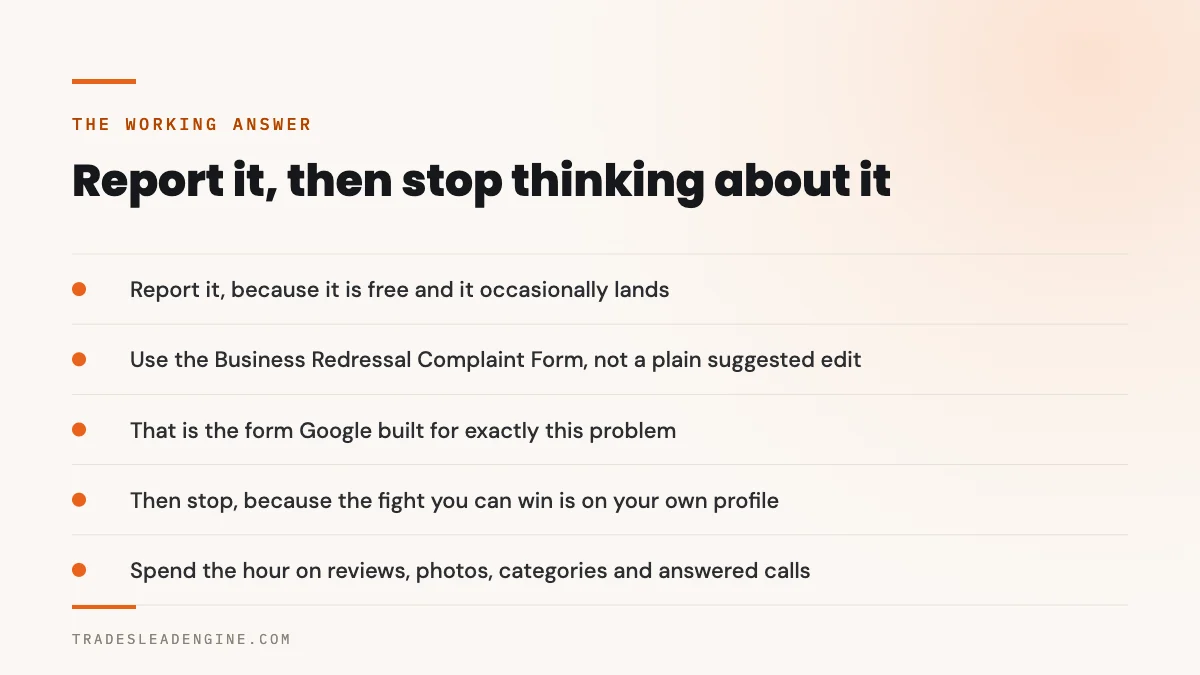
The working answer. Report it, because it is free and it occasionally lands. Use the Business Redressal Complaint Form rather than a plain suggested edit, because that is the form Google built for exactly this. Then stop thinking about it, because the version of this fight you can win is the one on your own profile, not theirs. Spend the hour on reviews, photos, categories and answered calls instead.
What Google’s name rule actually says
This is worth reading in Google’s own words, because almost every argument about it is conducted from memory. The guidelines for representing your business on Google set the standard in one sentence.
Your name should reflect your business’s real-world name, as used consistently on your storefront, website, stationery, and as known to customers.
The same page then lists what may not appear in the name. The categories include marketing taglines, store codes, trademark and registered signs, fully capitalised words, business hours information, phone numbers and website URLs, special characters or irrelevant legal terms, service or product information, and location information. In other words: not the services, not the city, not the slogan.
And the catch-all, which is the line to quote if anyone tries to argue the point with you:
Including unnecessary information in your business name isn’t permitted.
The consequences are stated on the same page. Violating the guidelines “could result in the suspension of your Business Profile” and, in some cases, “removal of your business information from Google.” Google also reserves the right to suspend access to profiles generally. So there is no ambiguity about whether the behaviour is against the rules. The ambiguity is entirely about enforcement.
When a keyword in the name is completely legitimate
Before you report anyone, check whether you are looking at a violation or at a company whose actual name contains a word you want to rank for. A large share of trades businesses in Texas have a trade word in their legal name, because that is how the founder named the company. The word “plumbing” in that name is not stuffing. It is the name.
The test is the one in Google’s sentence above: is that the name used consistently on the storefront, the website, the stationery, and as known to customers. If their trucks, their invoices and their website header all carry the same name as their profile, then that is their name and you have no complaint, however annoying it is that the name happens to contain two of your keywords.
Check before you file. Open their website in another tab and look at the logo, the footer and the contact page. Look at a photograph of their vehicle if their profile has one. If the profile name matches what you find and nothing has been bolted on, close the tab. If the profile reads along the lines of “[Company Name] | Water Heaters | Drain Cleaning | AC Repair | [City]” and the website logo carries only the first segment, everything after that first segment is the violation.
The grey area that is genuinely grey
Google allows special characters and legal terms in a name where “you must provide real-world proof (e.g. signage, business cards, invoices).” That proof requirement is the hinge for a lot of borderline cases. A business that has genuinely rebranded its signage to include a descriptor has a defensible position. A business that added four descriptors to a profile last month and changed nothing in the real world does not.
You cannot see their signage from your office, and Google can. That asymmetry is one reason reports get rejected without explanation, and it is a reason to be slower to report than your irritation suggests.
Why they do it: the ranking evidence is real
It would be comforting to tell you the extra words do nothing. The measured evidence says otherwise, and pretending it does not exist would leave you underestimating why your competitor is willing to risk a suspension.
Joy Hawkins at Sterling Sky ran the cleanest version of this test on a restaurant listing with no salad bar, no website and no online brand mentions. Her team added “Salad Bar” to the profile name, removed it a few days later, then added it back a week after that, checking rankings for “salad bar” plus the city at each stage. Rankings rose when the keyword was in the name, fell when it came out, and rose again when it went back in.
She also documented the reverse case. When Google stripped keywords out of names, rankings dropped: one business fell from position one to position seven two days later, and another from position four to position five three days after that. Published August 2023 and last updated November 2025.
Label this honestly when you repeat it. That is one anecdotal test plus a handful of examples from a practitioner, not a controlled study with a stated sample size. The author says so herself. It is still the best measured evidence available, and it is far more useful than the confident assertions on either side of this argument, which rest on nothing at all.
Google’s own documentation is quiet on the subject, as you would expect. The local ranking page describes three factors, relevance, distance and prominence, where “relevance is how well a Business Profile matches what someone is searching for.” A name packed with service terms is a crude way of manufacturing relevance, and the fact that it works at all is a flaw in the system rather than a feature of it.
The same page closes the other door your competitor might claim to have used: “There’s no way to request or pay for a better local ranking on Google.” Nobody bought their position. They typed it into the name field.
What happened to 50 stuffed names that got reported
This is the part nobody selling you a “competitor spam report” service will tell you. Colan Nielsen at Sterling Sky analysed 50 listings, mostly in the legal sector, all of them keyword stuffing, and targeted every one of them with Google Maps’ Suggest an Edit feature to strip the keywords out. Repeat offenders were escalated through the forum. He checked back on each listing every week to two weeks.
The results, as published: sixty per cent of profile owners got a warning and no punishment. Twenty per cent received a soft suspension, losing management access while the listing stayed live on Maps. Twenty per cent received a hard suspension, with the listing and its reviews removed from Maps entirely.
Then the line that matters most to you. Suggested edits “never stopped keyword stuffing from coming back on verified listings.” Keywords were re-added in every single case where an edit was suggested on a verified listing. One listing was stuffed again as many as eight times with no action taken.
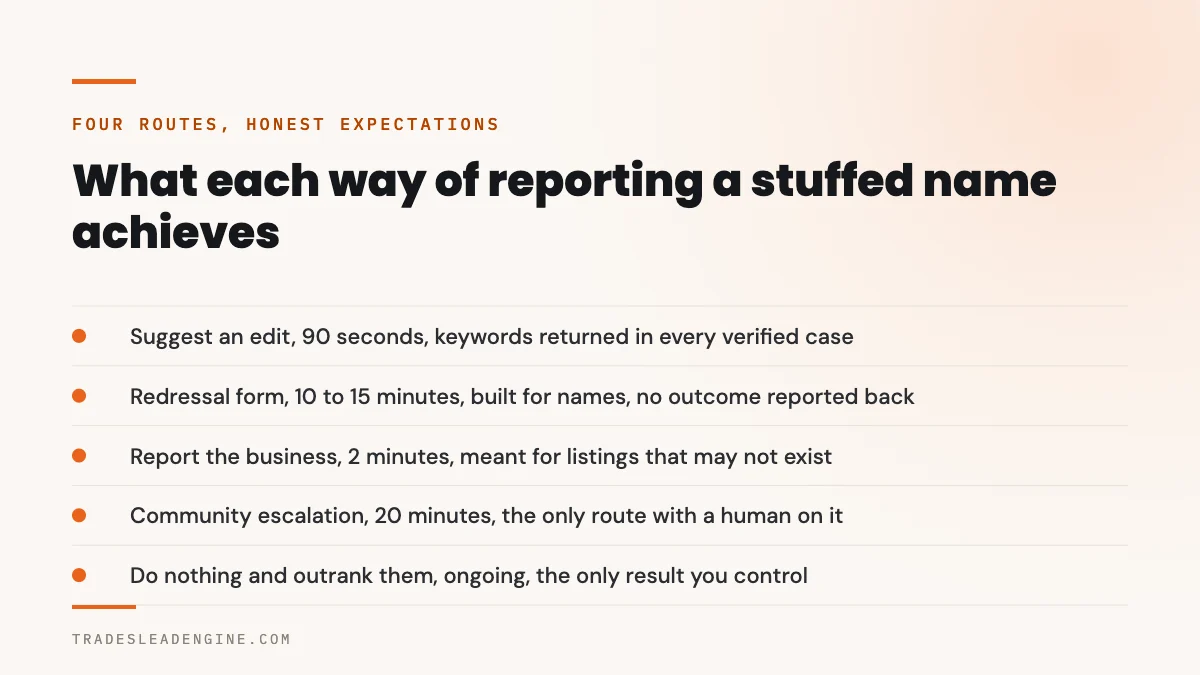
| Route | What it is | What it can change | Time it costs you | Honest expectation |
|---|---|---|---|---|
| Suggest an edit | The public edit button on any Maps listing | The name text only | About 90 seconds | Lowest friction, and the route the 50 case study found keywords always returned from on verified listings |
| Business Redressal Complaint Form | Google’s dedicated form for fraudulent names, phone numbers and URLs | The name, and the profile itself in serious cases | Ten to fifteen minutes, longer if you document several | The right tool for this exact problem. Google states plainly that no action is guaranteed and you will never hear the outcome |
| Report the business | Suggest an edit, then the offensive, harmful or misleading path | Flags the listing for review | Two minutes | Built for listings that may not exist rather than for names. Use it when the whole profile looks fake, not when the name is merely padded |
| Community escalation | Posting the case in the Business Profile Community forum | Can attract a Product Expert who escalates it | Twenty minutes, plus following the thread | The only route with a human on the other end. Also the one where owners most often report getting no reply at all |
| Do nothing, outrank them | Reviews, photos, categories, answered calls | Your own position | Ongoing | The only route whose result you control. Slower to start, and it does not get undone next month |
Route one: suggest an edit on Google Maps
This is the free, public edit button that sits on every listing on Google Maps, including yours. Google’s own wording is blunt about who it is for: “If you find something wrong with a Business Profile that you don’t own or manage, you can suggest an edit.”
Find the listing on Maps, open it, scroll to Suggest an edit, choose to change the name, and type the name without the padding. Submit. That is the whole job.
What happens next is documented. Edits to a verified profile get reviewed against Google’s guidelines, and Google says they “usually take up to 10 minutes to review, but sometimes it can take up to 30 days.” Three outcomes are possible: accepted, not approved, or still pending. You are not told which one yours got.
The failure mode is specific and it is documented. The 50 case study found that suggested edits never stopped the stuffing from coming back on verified listings. The owner is notified, the owner changes it back, and you are where you started with an hour gone. If the profile is verified and actively managed, this route is a speed bump rather than a fix.
Why it still has a use
Two situations make it worth the ninety seconds. First, an unverified or abandoned listing has nobody watching to change it back, so an accepted edit tends to stick. Second, repeated suggested edits are what escalate a case in the study’s method, and escalation is what produced the suspensions. The route is weak on its own and it is the entry point to the routes that are not.
Route two: the Business Redressal Complaint Form
This is the form Google built for your exact complaint, and most owners have never heard of it. The form states its own scope: it is for reporting “misleading information or fraudulent activity on Google Maps related to the name, phone number, or URL of a business,” and complaints outside those three items will not be reviewed through it. A padded business name is squarely inside that scope.
It asks for your full name, a contact email, the name of the affected organisation, the type of malicious content from a list that includes Title, and the public Maps URL for the location. You can add further URLs or upload a spreadsheet, which matters if you are documenting several offenders in one pass. Then it asks for a detailed explanation of why the content is misleading, including the quoted content from the listing.
Google is also unusually frank about what you get back. Two sentences from the form itself, worth reading before you spend an afternoon on it:
We cannot guarantee that any action will be taken on your complaint after you complete and submit this form. After we receive your complaint, you will not be updated on its status.
Write the explanation field like evidence, not like a complaint. Paste the profile name exactly as it appears. Then write the real-world name as it appears on their own website header and footer, with the URL. Then name the specific guideline categories the extra text falls into, which for most trades cases are service or product information and location information. One screen of facts beats three paragraphs of grievance, because somebody is going to read it quickly and needs to see the mismatch in five seconds.
Route three: report the business for misleading information
Google Maps has a separate reporting path aimed at listings that may not exist at all. The click order is Suggest an edit, then “Place is closed or not here,” then “Offensive, harmful, or misleading,” then Submit. The same help page directs suspected fraud involving misleading business names, phone numbers or URLs to the Redressal form instead, and notes you can report several businesses at once by uploading ten or more profiles or a spreadsheet of URLs.
So this route is not really for your problem. Use it when the whole profile is wrong rather than just the name: an address that is a residential lot with no signage, a phone number that rings a call centre in another state, a company that has no website and no permit history in your county. Using it on a real business with a padded name sends your report down the wrong pipe.
This is not legal advice and we are not your lawyer. Reporting a competitor to a platform is ordinary commercial behaviour. Telling customers, in writing or on your own website, that a named competitor is committing fraud is a different thing with a different set of risks, and the line between the two is a question for an attorney rather than a marketer. Report through Google’s forms and keep the accusation off your marketing.
Route four: escalate in the Business Profile Community
The Business Profile Community forum is where Product Experts, who are experienced volunteers rather than Google staff, sometimes pick up a case and escalate it internally. It is the only route in this guide with a realistic chance of a human reading your specific situation.
It is also where you can read what happens to most people who try. Two thread titles from that forum, quoted exactly as they appear, tell you the shape of this experience better than any statistic: “Competitor Keyword Stuffing in GBP Name, Redressal Form Submitted, No Response” and “Businesses Putting Keywords in Their Google Business Profile Name? Report?”
If you post, post like the study did. Give the Maps URL, the profile name verbatim, the real-world name with a link to the source showing it, the date you filed the Redressal form, and the fact that the keywords returned if they did. A case with dates and links is one a volunteer can escalate. A case that reads as a complaint about a rival is one they will skip.
Not sure whether your own profile is the clean one
The free scorecard checks your Business Profile name, categories, service areas and review pace against Google’s current guidelines and against the other contractors ranking in your towns, and tells you which of your own fields are costing you calls. No sales call required.
Run the free scorecard or call (726) 224-4920.
The four day clock that now runs on your own name
Here is the part of this subject that changed recently, and it affects you whether or not you ever report anybody. Google updated its documentation in late September 2026 to spell out what happens when a member of the public suggests an edit to your profile. Search Engine Roundtable logged the change on 23 September 2026.
Google’s page now says it “may receive suggestions from users to update your Business Profile” and will notify you about certain suggested edits before they are published. Then the clock:
If a suggested edit requires your review, you may receive an email or an in-product notification. Once notified, you have 4 days to accept or reject the suggestion. If you don’t respond within 4 days, Google may automatically publish the update if it is supported by other publicly available information, such as your business website.
Four days is one long weekend and a busy Monday. If that email lands while you are on a job and goes unread, a change to your name, your hours or your phone number can go live because somebody on the internet suggested it and your own website appeared to support it.
The same page carries a second sentence worth knowing: Google “may apply suggested user edits to your business information without prior review,” which it says happens where edits are needed to meet policy guidelines. That is the mechanism by which a stuffed name can be corrected without the owner getting a vote, and it is the best argument for using the Redressal form rather than a plain edit, because a compliance correction does not need their cooperation.
Turn your notifications back on this week. Most owners switched Business Profile emails off years ago because they were all review nudges and performance summaries. Those same emails now carry a four day deadline on changes to your own listing. Check the notification settings on the profile, confirm the address is one a human reads daily, and make sure it is not a general inbox nobody opens. This is a five minute job with a real downside if you skip it.
What a suspension actually does to them
If your report does land and Google suspends the profile, the outcome is more serious than most owners imagine, which is worth understanding before you decide how hard to push.
Google’s documentation describes two different states. A restricted account means “the Business Profiles you manage are suspended and you won’t be able to create or claim other profiles”, so it reaches every listing that account touches, not just the offending one. A removed profile means “The public can’t go to the profile” and “The owner and managers can’t act on the profile.” Reinstatement restores both the profile and its owner and manager access.
The appeal is a single shot. Google states that “Appeals can only be submitted once”, warns against submitting multiple appeals for the same issue before a decision, and says “Appeal reviews and decisions can take up to 5 business days.” It also says plainly: “Do not create a new Business Profile for the same business.”
Which is why the soft suspension in the study matters more than it sounds. Twenty per cent of those owners lost management access while their listing stayed live on Maps, collecting calls they could no longer influence, with reviews they could no longer answer. For a business that gets most of its work from Maps, that is worse than a clean removal, because it looks fine from outside and cannot be fixed from inside.
Why a keyword stuffing business name report so often changes nothing
Three documented reasons, none of them a conspiracy.
One: the volume is enormous and the system is automated
Google published its 2026 Maps protection figures in April. Users “suggested 80 million updates to business hours, contact information and more in 2025 alone.” In the same year Google “blocked 79 million inaccurate or unverified edits” and “removed over 13 million fake Business Profiles.” Gemini models are now used to catch policy-violating edits before they publish.
Do not do the arithmetic those two numbers invite. Eighty million suggested updates and seventy nine million blocked edits look like a ninety nine per cent rejection rate, and that is not a claim Google makes. The figures appear in the same post but Google never says the blocked edits all came from that pool of suggestions. Both numbers are real and published. The ratio between them is not, and you will see it quoted as though it were.
Two: a warning is the default outcome, not a punishment
Sixty per cent of the 50 reported listings produced a warning to the owner and nothing else. From where you are standing that is indistinguishable from being ignored, and from Google’s side it is a graduated response working as designed. The owner gets told, nothing is taken away, and the listing carries on.
Three: Google can see evidence you cannot
The name rule hinges on the real-world name, and the special-character allowance requires “real-world proof (e.g. signage, business cards, invoices).” If a business has put a descriptor on its building and its invoices, the name is defensible even though it reads like stuffing on a screen. Your report does not look wrong from Google’s side. It looks unverifiable.
The numbers you should not believe
This corner of the industry runs on figures that were never real, and a stuffed-name argument is usually decorated with several of them. If somebody quotes you any of these, ask for the link before you agree to anything priced against it.
- “42% of clicks go to the local pack.” No openable source. It appears on dozens of agency pages, all citing each other.
- “Consistent listings make you 40% more likely to rank.” Attributed vaguely to directory vendors who sell listing management. No published method, no sample.
- “Optimising your business name lifts calls by 2,717%.” A mutation of a direction-requests claim that has been passed around for years with no traceable origin at all.
- “Keywords in your name add three positions on average.” There is no study behind this. The real evidence, cited above, is one named practitioner’s test on one listing, and she labels it as such.
Two more deserve a gentler treatment, because they may once have come from genuine research even though nothing openable supports them today: “97% of consumers search online for local businesses” and “88% of consumers trust online reviews as much as personal recommendations.” Rather than call them fabricated, ask the person quoting them for the source. What you learn from the answer tells you how current the rest of their advice is.
Google’s own published figures do the persuasive work those invented numbers were reaching for, and they are free to check. Thirteen million fake profiles removed in one year is a real number from the platform itself.
The parts of your profile they cannot copy
The uncomfortable truth in the ranking evidence is that a padded name is a cheap, fragile edge. It can be stripped by Google at any time, and when it is stripped the drop is immediate, which is exactly what the two rehab listings in the study showed. Everything below is slower to build and nobody can take it off you.
Categories, which do more than the name
Your primary category is the single strongest relevance lever you control and most contractor profiles have it wrong or have it generic. If your main money service does not match your primary category, you are losing more than your competitor is gaining from their name. There is a full guide to choosing Google Business Profile categories.
Service areas that match reality
Google caps service areas at 20 and says the overall area should not exceed about two hours of driving time. Profiles that claim every town in the metro are not more visible, and the same logic applies to building a page for every city you serve. If you do not show up in towns you genuinely work in, that is a different problem with a documented cause.
Reviews, at a pace rather than in a burst
Review count and rating feed prominence, and a steady drip from real jobs beats forty in a fortnight, which looks like what it is. The question of how many reviews it takes to rank has a more honest answer than most people give, and so does what to do when a fake review lands on your profile.
Answering the phone
None of this matters if the call goes to voicemail. A profile at position one that misses half its calls earns less than a profile at position three that answers all of them, which is the single cheapest fix in local marketing and the one most owners skip. The same applies to a site that gets found and then produces no calls at all.
The fight you can actually win. A keyword stuffing business name is a borrowed position. Categories, service areas, photographs of real jobs, a review pace tied to completed work and a phone that gets answered are an owned one. In twelve months the stuffed name will have been stripped, re-added, stripped again, and the owner will have spent the year watching Maps instead of running the business. Local SEO takes the time it takes and then it keeps paying.
What to do on Monday morning
Forty minutes, in this order.
- Check your own name first. Open your profile and read the name field. If anything has been bolted on, by you or by an agency, take it off before you report anybody. A complaint from a profile that is doing the same thing goes nowhere.
- Confirm the violation. Open their website and compare the logo and footer against their profile name. If the profile matches reality, stop here.
- Screenshot it with a date. You will want evidence of what the name said if it changes while your report is in flight.
- File the Redressal form. Profile name verbatim, real-world name with the source URL, the guideline categories the extra text falls into. Fifteen minutes.
- Turn your Business Profile notifications on. Four days is the window on edits to your own listing, and it is not a long one.
- Check who owns your profile. If a former agency still holds the keys, that is a bigger exposure than any competitor’s name, and getting it back has a documented process.
- Then leave it alone. Diary a check in thirty days. Spend the rest of the hour on your primary category and three photographs from last week’s jobs.
If your profile is already suspended for something you did not know was a rule, deal with that before anything else. And if you are hiding a home address, there is a correct way to do it that does not get you suspended.
Not sure which of your own fields is the weak one? Profile management starts with an audit of the name, categories, service areas and review pace against the contractors currently outranking you in your towns.
Questions owners actually ask
Can I get a competitor suspended for putting keywords in their business name?
It happens, but it is the minority outcome. In the only published study of 50 reported stuffed listings, 20 per cent ended in a hard suspension with the listing and its reviews removed from Maps, and another 20 per cent in a soft suspension where the owner lost management access but the listing stayed live. The remaining 60 per cent received a warning and no punishment. Google’s guidelines do say a violation “could result in the suspension of your Business Profile”, so the outcome is available. Treat it as a possibility rather than a plan.
Does reporting a keyword stuffing business name actually work?
Partly, and not durably through the easy route. The 50 case study used Google Maps’ Suggest an Edit feature on every listing and found that suggested edits “never stopped keyword stuffing from coming back on verified listings.” Keywords were re-added in every verified case, one of them eight times. The Business Redressal Complaint Form is the better route because it is Google’s dedicated channel for misleading names, and because a compliance correction can be applied without the owner’s agreement.
Will Google tell me what happened to my report?
No, and it says so in writing. The Business Redressal Complaint Form states: “We cannot guarantee that any action will be taken on your complaint after you complete and submit this form. After we receive your complaint, you will not be updated on its status.” Suggested edits on Maps are the same: an edit can be accepted, not approved or still pending, and you are not told which. Diary a check in thirty days and look at the listing yourself.
Is a keyword in a business name always against the rules?
No. Google’s standard is the real-world name, “as used consistently on your storefront, website, stationery, and as known to customers.” A company whose legal and signage name contains the word plumbing is not violating anything by carrying that same name on Google. What is not permitted is bolting on extra information: service descriptors, city names, taglines, phone numbers, URLs and hours. Check their logo and website footer before you file, because that is the test Google will apply.
Can they report me back?
Anyone can suggest an edit to any listing, including yours, and this is now worth taking seriously. Google’s documentation states that once you are notified of a suggested edit, “you have 4 days to accept or reject the suggestion”, and if you do not respond Google “may automatically publish the update if it is supported by other publicly available information, such as your business website.” Make sure profile notifications go to an address a human reads daily.
How long does a name correction take to go through?
Google says edits to a verified profile “usually take up to 10 minutes to review, but sometimes it can take up to 30 days.” Your own four day window to reject somebody else’s suggestion is separate from that, and an appeal against a decision “can take up to 5 business days.” So the realistic range for anything in this area is minutes to a month, with no notification at either end.
Should I add keywords to my own name since it seems to work?
The measured evidence does suggest it moves rankings, and the measured evidence also shows what happens when Google strips them: one documented listing fell from position one to position seven within two days. You would be renting a position on a month to month lease from a landlord who can evict you without notice, while your account carries a violation that reaches every profile you manage. A soft suspension on a Maps-dependent trades business is a worse week than any ranking gain is worth.
What if the whole listing looks fake, not just the name?
That is a different report. Google Maps has a path for listings that may not exist: Suggest an edit, then “Place is closed or not here”, then “Offensive, harmful, or misleading”. Google removed over 13 million fake Business Profiles in 2025, so this channel does real work. Use the name-specific Redressal form for a real business with a padded name, and this path for an address with no signage, no permit history and a phone that rings somewhere else.
Find out which fields are costing you the calls
The scorecard reads your Business Profile the way Google does: name, primary and secondary categories, service areas, review pace, photographs and response times, compared against the contractors ranking above you in the towns you actually work in. You get the list of what to fix and the order to fix it in.
Run the free scorecard, email leads@tradesleadengine.com or call (726) 224-4920. Forms get a reply the same business day.
Sources
- Guidelines for representing your business on Google, Google Business Profile Help. The real-world name standard, the list of disallowed name content including service or product information and location information, the “unnecessary information” line, the real-world proof requirement for special characters and legal terms, and the suspension and removal consequences.
- Understand Google updates on your Business Profile, Google Business Profile Help. The four day window to accept or reject a suggested edit, automatic publication where an update is “supported by other publicly available information”, and Google applying suggested user edits without prior review where edits must meet policy guidelines.
- Business Redressal Complaint Form, Google. Its stated scope covering the name, phone number and URL, the fields it requires, and Google’s statements that no action is guaranteed and that you will not be updated on the status.
- Understand what happens to your Business Profile edits, Google Business Profile Help. The three edit statuses, the 10 minute usual and 30 day outer review window, and Google updating a profile on reports that information is inaccurate.
- Edit your Business Profile, Google Business Profile Help. The sentence establishing that anyone can suggest an edit to a profile they do not own or manage.
- Report a business on Google Maps, Google Maps Help. The exact click path for reporting misleading information, the direction of suspected name, phone and URL fraud to the Redressal form, and the bulk option for ten or more profiles.
- Restricted, suspended, or disabled Business Profiles, Google Business Profile Help. What an account restriction does to every profile you manage, what a removal does to the public view and to owner access, and what reinstatement restores.
- Appeal Business Profile content and profile restrictions, Google Business Profile Help. The single appeal rule, the five business day decision window, and the instruction not to create a new profile for the same business.
- All Business Profile policies and guidelines, Google Business Profile Help. The enforcement statement that Google will “restrict the content from displaying” and “restrict access to the profile or merchant account.”
- Help protect your Google Business Profile, Google Business Profile Help. Unclaimed locations being “more vulnerable and prone to hijacks”, limiting owner and manager access, and how to check claim status on Search and Maps.
- Improve your local ranking on Google, Google Business Profile Help. The definitions of relevance, distance and prominence, and the statement that there is no way to request or pay for a better local ranking.
- New ways we’re protecting businesses on Maps, Google, April 16, 2026. The 2025 figures: over 1 billion reviews shared, 80 million suggested updates to business information, 79 million inaccurate or unverified edits blocked, over 292 million policy-violating reviews blocked or removed, and over 13 million fake Business Profiles removed, plus the use of Gemini models to catch policy-violating edits before publication.
- Do keywords in business names on Google Maps impact ranking?, Joy Hawkins, Sterling Sky, published August 9, 2023 and last updated November 17, 2025. The add, remove and re-add test on a listing with no salad bar, and the two documented ranking falls after Google stripped keywords, including position one to position seven in two days. Labelled by its author as anecdotal rather than a controlled study.
- How does Google My Business penalize keyword stuffing: 50 examples, Colan Nielsen, Sterling Sky, published December 14, 2020 and last modified February 12, 2026. The 50 listing sample, the 60 per cent warning, 20 per cent soft suspension and 20 per cent hard suspension outcomes, the weekly to fortnightly re-checks, and the finding that suggested edits never stopped keywords returning on verified listings.
- Google Business Profiles gives you four days to reject user edits, Search Engine Roundtable, September 23, 2026. The trade press record of when the four day wording appeared in Google’s documentation. The wording itself is quoted above from Google’s own page.
- Competitor keyword stuffing in GBP name, redressal form submitted, no response and Businesses putting keywords in their Google Business Profile name, report?, Google Business Profile Community. Owners asking this exact question in Google’s own forum.